Understanding H1 Heading Tag in HTML
An H1 heading tag in html, is the primary HTML tag used to define the main
title or topic of a webpage. The <h1> tag is the
highest-level heading in HTML, signaling the most important content on
the page. It helps users quickly understand the page’s subject and
guides search engines in indexing and ranking the content. Typically
styled larger and bolder than other text, the H1 heading tag in html improves
readability, accessibility, and SEO or
Search_Engine_Optimization. It should be unique,
concise, and relevant to the page’s purpose. Proper use of <h1> enhances
user experience and ensures the page is well-structured for both humans
and search engines.
What is H1 Heading in HTML
The H1 heading tag in HTML is one of the most fundamental elements in web
development and content structuring. It represents the highest-level
heading tag in HTML, used to define the main title or subject
of a webpage. When a browser renders a page, the H1 heading tag typically
appears larger and bolder than other text, signaling its importance. For
both users and search engines, the H1 heading tag in html provides a clear
indication of what the page is about. It is not just a stylistic choice
but a semantic marker that carries significant weight in web design and SEO.
Structure of Heading Tag in HTML
HTML, or HyperText Markup Language, is the backbone of
Web_Designing,
and headings are essential for organizing information. The H1 heading tag
in html is the
top-level heading, followed by H2, H3, heading tags and so on, each representing
decreasing levels of importance. While multiple headings can exist on a
page, the H1 heading in html is unique because it defines the central theme. For
example, on a blog post about “Healthy Recipes,” the H1 heading tag might simply be
“Healthy Recipes for Busy Professionals.” This immediately tells readers
and search engines the page’s focus, making it a cornerstone of
effective web communication.
Importance of H1 Heading Tag
The importance of the H1 heading tag in html is in its ability to guide both
human readers and search engine crawlers. For readers, it acts as a
visual anchor, helping them quickly understand the topic. For search
engines, it provides semantic meaning, allowing algorithms to categorize
and rank the page appropriately. Without a clear H1 heading tag, a webpage risks
appearing disorganized or irrelevant. In fact, many SEO experts
emphasize that the H1 heading in html is one of the most critical on-page
elements, second only to the title tag in influencing how a page is
perceived and indexed.
Heading Tag Usability Role
From a design perspective, the H1 heading tag is often styled to stand
out. Web developers use CSS to adjust font size, color, and spacing,
ensuring the H1 heading in html captures attention. However, its role goes beyond
aesthetics. The H1 heading tag in html should always reflect the page’s primary
purpose. For instance, an e-commerce site selling shoes might use
“Affordable Running Shoes Online” as its H1 heading tag. This not only attracts
potential buyers but also signals to search engines that the page is
relevant to queries about running shoes. Thus, the H1 heading tag in
html alwasy bridges design,
usability, and search optimization.
SEO Benefits of H1 Heading Tag in HTML
One of the most significant benefits of the H1 heading tag in html is its impact
on
SEO. Search engines like Google analyze the H1
heading in html to determine the
page’s subject matter. When the H1 heading tag contains relevant keywords, it
increases the likelihood of ranking higher in search results. For
example, a page with the H1 heading tag that says “Best Digital Cameras for Beginners” is more
likely to appear in searches for digital cameras. However, keyword
stuffing should be avoided. The H1 heading in html must remain natural, readable, and
user-friendly. A well-crafted H1 heading tag in html balances
Keyword relevance with
clarity, enhancing both SEO performance and user experience.
Best Practices: One H1 Heading Tag Per Page
Best practices suggest that each webpage should have only one H1
heading tag. While HTML5 technically allows multiple H1 heading tags within
different sections, most SEO professionals recommend sticking to a
single H1 heading tag to avoid confusion. Having multiple H1 heading tag
in html could dilute the page’s
focus, making it harder for search engines to determine the main topic.
Instead, use H2 and H3 heading in html to organize subtopics. For example, a
page about “Web Design Basics” might have an H1 heading tag for the main title, H2
heading tag
for sections like “HTML Fundamentals” and “CSS Styling,” and H3s for
detailed points under each section.
Writing Effective H1 Heading Tags
Creating an effective H1 heading tag in html requires careful thought. It should
be concise yet descriptive, ideally between 20 and 70 characters.
Shorter headings may lack clarity, while overly long ones can overwhelm
readers. The H1 should also align with the page’s title tag, though they
don’t need to be identical. For instance, a title tag might read “Top 10
Tips for Learning Python Programming,” while the H1 heading tag could simply be
“Learn Python Programming: Top 10 Tips.” This ensures consistency while
allowing flexibility in presentation. Ultimately, the H1 heading in html should capture
the essence of the page in a reader-friendly manner.
Accessibility and Inclusivity of H1 Heading Tag in HTML
The H1 heading tag in html also plays a role in accessibility. Screen readers
rely on headings to help visually impaired users navigate content. A
properly structured H1 heading tag in html ensures, that assistive technologies can identify
the page’s main topic. This improves inclusivity and compliance with
accessibility standards like WCAG. For example, a government website
might use “COVID-19 Guidelines for Travelers” as its H1heading in html, enabling screen
readers to announce the page’s purpose immediately. By prioritizing
accessibility in H1 heading tag design, web developers not only meet legal
requirements but also create a more inclusive digital environment for
all users.
Placement of H1 Heading Tag in HTML
In terms of placement, the H1 heading tag should appear near the top of
the page. This ensures that users and search engines encounter it
quickly. Placing the H1 heading tag too far down can confuse readers and reduce its SEO effectiveness. For example, a blog post should begin with the H1
heading in html,
followed by introductory text and supporting headings. This logical flow
mirrors how people consume information: they first look for the main
topic, then explore details. Proper placement of the H1 heading in html
page enhances
readability, improves engagement, and signals to search engines that the
page is well-structured.
Avoiding Duplicate H1 Heading Tag in HTML
Another critical aspect of H1 heading tag in html usage, is avoiding duplication. Each
page on a website should have a unique H1 Heading TAg, that reflects its specific
content. Duplicate H1 heading in html across multiple pages can confuse search engines
and dilute ranking potential. For instance, if every page on a
photography site uses “Photography Tips” as the H1 heading tag, search engines may
struggle to differentiate between them. Instead, each page should have a
tailored H1 heading tag, such as “Portrait Photography Tips” or “Landscape
Photography Tips.” This not only improves SEO but also provides clarity
for readers navigating different sections of the site.
Hierarchy of Heading Tags
The relationship between the H1 heading and other headings is
hierarchical. The H1 heading tag in html defines the main topic, while H2
heading in html break down
subtopics, and H3 heading in html provide further detail. This hierarchy creates a
logical structure that benefits both readers and search engines. For
example, a page with the H1 heading tag like “Guide to Web Hosting” might include H2
heading tags
like “Types of Web Hosting” and “Choosing the Right Provider,” with H3
heading in html
under each, explaining specific features. This layered approach ensures
clarity, improves navigation, and enhances SEO by signaling the relative
importance of different sections within the content.
Aligning Heading Tags with User Intent
When writing H1 heading tag in html, it’s essential to consider user intent. The H1
heading tag should align with what users are searching for and expecting to find.
For example, if someone searches for “How to Bake a Chocolate Cake,” the
H1 heading in html should directly reflect that query, such as “How to Bake a Chocolate
Cake at Home.” This increases relevance and engagement of your web page. Misleading or
vague H1 heading in html can frustrate users and increase bounce rates. By focusing on
user intent, web developers and content creators can craft H1 heading
tag
that satisfy both readers and search engines, driving better overall
performance.
Branding Through H1 Heading Tags
The H1 heading tags also contributes to branding. Consistent use of H1
heading tag
across a website reinforces the brand’s voice and identity. For example,
a fitness brand might use motivational H1 heading in html like “Transform Your Body
with Strength Training” or “Achieve Your Goals with Yoga.” These
headings not only inform readers but also convey the brand’s
personality. By aligning these heading tag with brand messaging, companies can create
a cohesive user experience that strengthens recognition and loyalty.
Thus, the H1 heading tag is not just a technical element but a powerful tool
for storytelling and brand communication.
Technical Implementation of H1 Heading Tag
From a technical standpoint, implementing H1 heading tag in html is
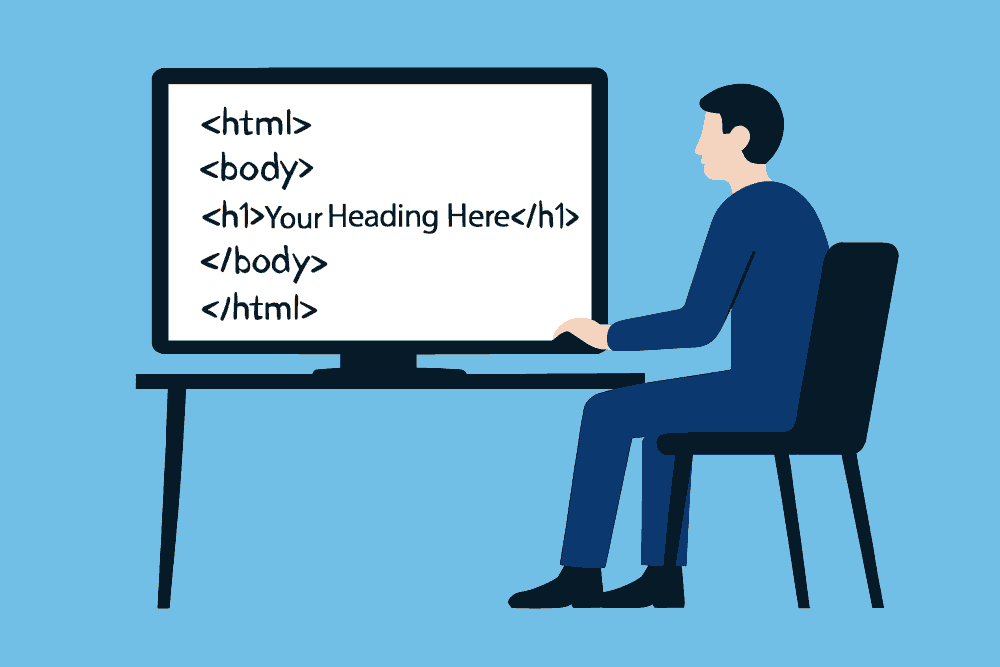
straightforward. In HTML, the syntax is simply
<h1>Your Heading
		Here</h1>
. Developers can then style the heading using CSS,
adjusting attributes like font size, weight, and color. However, the
simplicity of the code belies its importance. A single line of HTML can
dramatically influence how a page is perceived, ranked, and navigated.
Therefore, developers must treat the H1 heading tag in html with care, ensuring it
accurately reflects the page’s content and purpose. Proper coding
practices, combined with thoughtful content creation, maximize the
effectiveness of the H1 heading.
Evolution of H1 Heading Tag Usage
The evolution of HTML has influenced how H1 heading tag is used. In earlier versions, strict rules limited pages to a single H1. heading in html. With HTML5, developers gained more flexibility, allowing multiple H1 heading tag within different sections. However, this flexibility has sparked debate among SEO professionals. While technically valid, multiple H1 heading tag can confuse search engines if not implemented carefully. Most experts still recommend using one primary H1 per page, supplemented by H2 heading tag and H3 heading tags. This approach maintains clarity and avoids potential SEO pitfalls, ensuring that the page’s main topic remains prominent and unambiguous.
Case Studies in H1 Heading Tag Optimization
Case studies highlight the impact of H1 heading in html optimization on SEO performance. Websites that refine their H1 heading tag often see improvements in search rankings and user engagement. For example, an online retailer might change its H1 heading tag from “Products” to “Affordable Electronics for Everyday Use.” This small adjustment can significantly increase relevance and click-through rates. Similarly, blogs that align H1 heading tag in html with trending keywords often experience traffic boosts. These examples demonstrate that the H1 heading is not a trivial detail but a strategic element that can